JetHexa ROS Hexapod: Jetson Nano SLAM & Navigation Kit
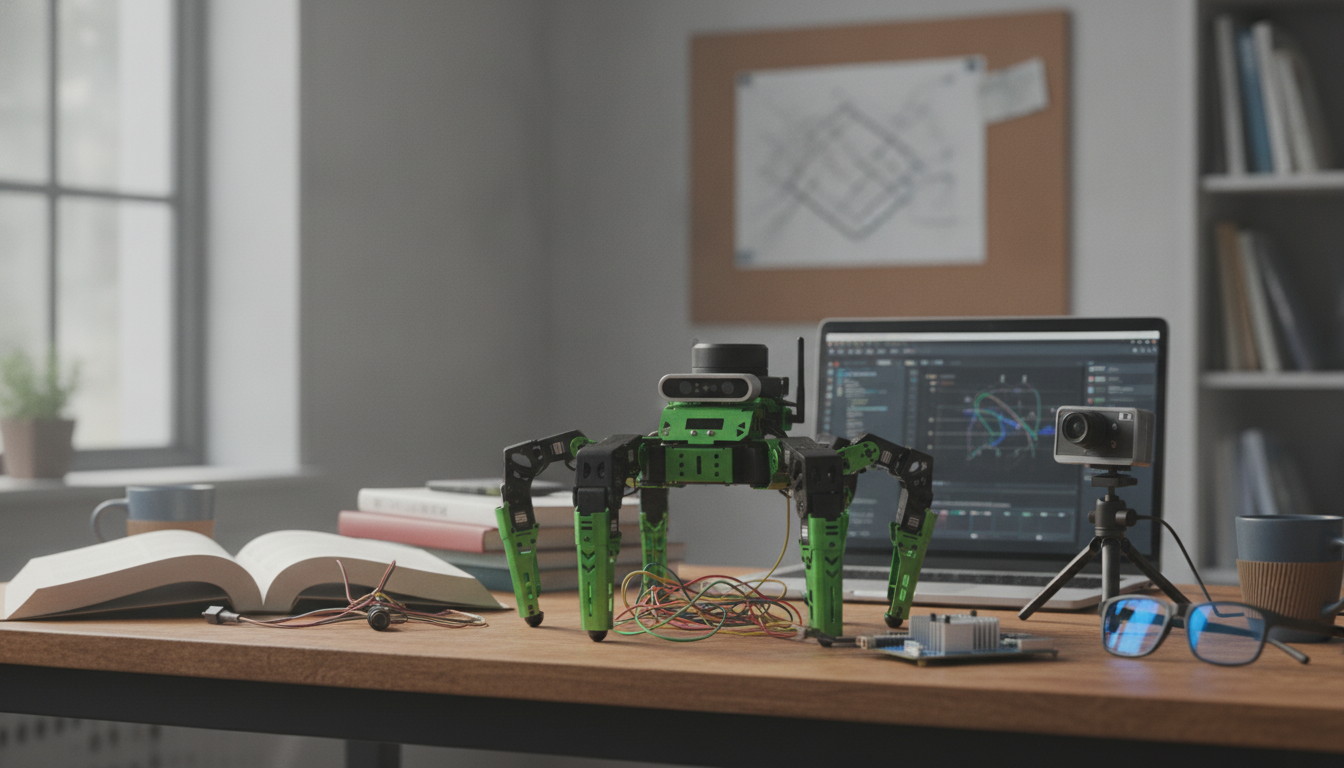
JetHexa ROS Hexapod Robot Kit with SLAM Mapping and Navigation (Jetson Nano Powered)
JetHexa is a six-legged ROS robot kit built for practical learning in locomotion, perception, and autonomous navigation. Powered by NVIDIA Jetson Nano, it’s designed to run mapping and navigation workloads on the robot itself—useful for robotics labs, classroom assignments, and developers who want a legged platform for experimenting with SLAM, navigation stacks, TF trees, and computer vision pipelines.
For teams ready to move beyond simulations, a hexapod adds real-world complexity: stepping dynamics, body motion, and richer tuning work. That makes JetHexa a strong fit for iterative workflows where logging, parameter adjustments, and repeatable tests matter.
What JetHexa Is Built For
- Legged mobility experiments: explore gait generation, stability, terrain handling, and foot placement concepts on a hexapod platform.
- Autonomous navigation practice: build maps, localize within them, and run point-to-point behaviors with planners and costmaps.
- ROS development: work hands-on with nodes, topics, services, TF frames, and launch files on a physical robot.
- Edge AI workflows: use Jetson Nano for on-device perception and robotics pipelines without relying on a desktop tether.
Core Hardware and Compute Stack
JetHexa combines onboard compute with a multi-leg chassis so mapping and navigation can be tested under realistic motion. Typical SLAM and navigation setups rely on a mapping sensor (depth camera or LiDAR class) plus IMU/odometry inputs, then a navigation stack that consumes those topics and TF transforms.
At-a-glance platform components
| Subsystem | Role in autonomy | What to configure in ROS |
|---|---|---|
| Compute (Jetson Nano) | Runs SLAM, navigation, and perception nodes locally | CUDA-enabled vision nodes, ROS packages, launch scripts, resource monitoring |
| Locomotion (hexapod legs) | Provides motion and turning without wheels | Gait controller, velocity commands, motion constraints |
| Mapping sensor (depth/LiDAR class) | Creates scans/point clouds for SLAM and obstacle detection | Sensor drivers, frame alignment, scan/point cloud topics |
| IMU/odometry inputs | Improves pose estimation and navigation stability | TF tree, sensor fusion settings, timestamp synchronization |
| Navigation stack | Plans routes and avoids obstacles | Costmaps, planners, recovery behaviors, goal interfaces |
For background references while configuring software, the official Robot Operating System (ROS) Documentation and the NVIDIA Jetson Nano Developer Kit resources are reliable starting points. For SLAM concepts and algorithm options, OpenSLAM is a helpful directory of approaches and papers.
SLAM Mapping: From Sensor Data to a Usable Map
SLAM (Simultaneous Localization and Mapping) builds a map while estimating the robot’s pose in that same environment. In practice, the quality of the output map is less about “turning SLAM on” and more about the full chain: sensor data quality, calibration, timestamp consistency, and frame transforms.
- Sensor quality and calibration matter: a slightly misaligned sensor frame or inconsistent timestamps can create duplicated walls, curved corridors, or unstable pose estimates.
- Legged motion needs careful tuning: stepping introduces body oscillation that can affect scan integration. Smoother command profiles and conservative update rates often reduce distortion.
- A practical workflow: verify sensor topics → confirm TF frames → record a short rosbag → generate a map → tune parameters and repeat.
- Key checks: stable timestamps, correct transforms, consistent scan rate, and an update rate that matches the Jetson compute budget.
Navigation and Obstacle Avoidance on a Hexapod
Navigation typically combines a global planner (overall route) with a local planner (real-time obstacle avoidance) operating over costmaps. On a hexapod, movement constraints differ from a wheeled base: step timing, effective turning behavior, and speed limits all influence what “safe” motion looks like.
- Expect different tuning targets than wheels: the best results usually come from setting realistic velocity/acceleration limits that match the gait, then tuning controller frequency for stable response.
- Costmap inflation and obstacle layers: legged motion often benefits from slightly more conservative clearance, especially during turns and recovery maneuvers.
- Test progression: start in open space → add sparse obstacles → move to narrow passages → validate recovery behaviors (e.g., clearing costmaps, rotating in place, backing up if supported).
Setup Path: Assembly, Bring-up, and First Autonomous Run
A smooth first run comes from a disciplined bring-up sequence. When SLAM or navigation misbehaves, the root cause is often mechanical (loose connectors), coordinate frames (TF), or timing.
- Mechanical assembly and cable management: confirm connectors are fully seated, strain relief is adequate, and moving joints have clearance through the full range of motion.
- Software bring-up: verify the OS image, ROS environment, and device permissions for sensors and serial interfaces.
- Robot description and TF: confirm the URDF (or equivalent) and that frames align with sensor mounting orientation (no silent 90°/180° surprises).
- First tests in order: teleop movement → sensor visualization → SLAM run → save map → navigation to a simple goal.
Project Ideas That Match the Platform
Who It Fits (and When to Choose Something Else)
In-Stock Picks
- JetHexa ROS Hexapod Robot Kit SLAM Mapping and Navigation Enabled, Jetson Nano Powered — a hands-on platform for legged locomotion, SLAM mapping, and navigation stack experimentation.
- Muscle Relaxation Toolkit for Total Tension Relief – 3-in-1 Bundle for Deep Muscle Relaxation — a practical add-on for long build sessions and lab time when ergonomics and recovery matter.
FAQ
What does SLAM mapping and navigation enabled mean on this hexapod kit?
It means the platform supports running SLAM to build a map and then using localization plus planners to navigate to goals. Results depend on the chosen sensors, calibration quality, and careful parameter tuning for legged motion.
Is Jetson Nano enough for real-time SLAM and navigation?
Jetson Nano can be sufficient for common SLAM and navigation stacks when sensor settings and update rates are chosen responsibly. Managing compute load (resolution, frequency, and node selection) helps keep performance stable.
What are the first troubleshooting steps if the map looks distorted or the robot can’t localize?
Start by verifying TF/frame alignment and timestamp synchronization, then confirm sensor mounting orientation and scan rate consistency. Next, replay a short rosbag to isolate whether the issue is motion smoothness, transforms, or sensor data quality.














Leave a comment