Quiet Wireless Mechanical Keyboard: Hot-Swap Gasket Build
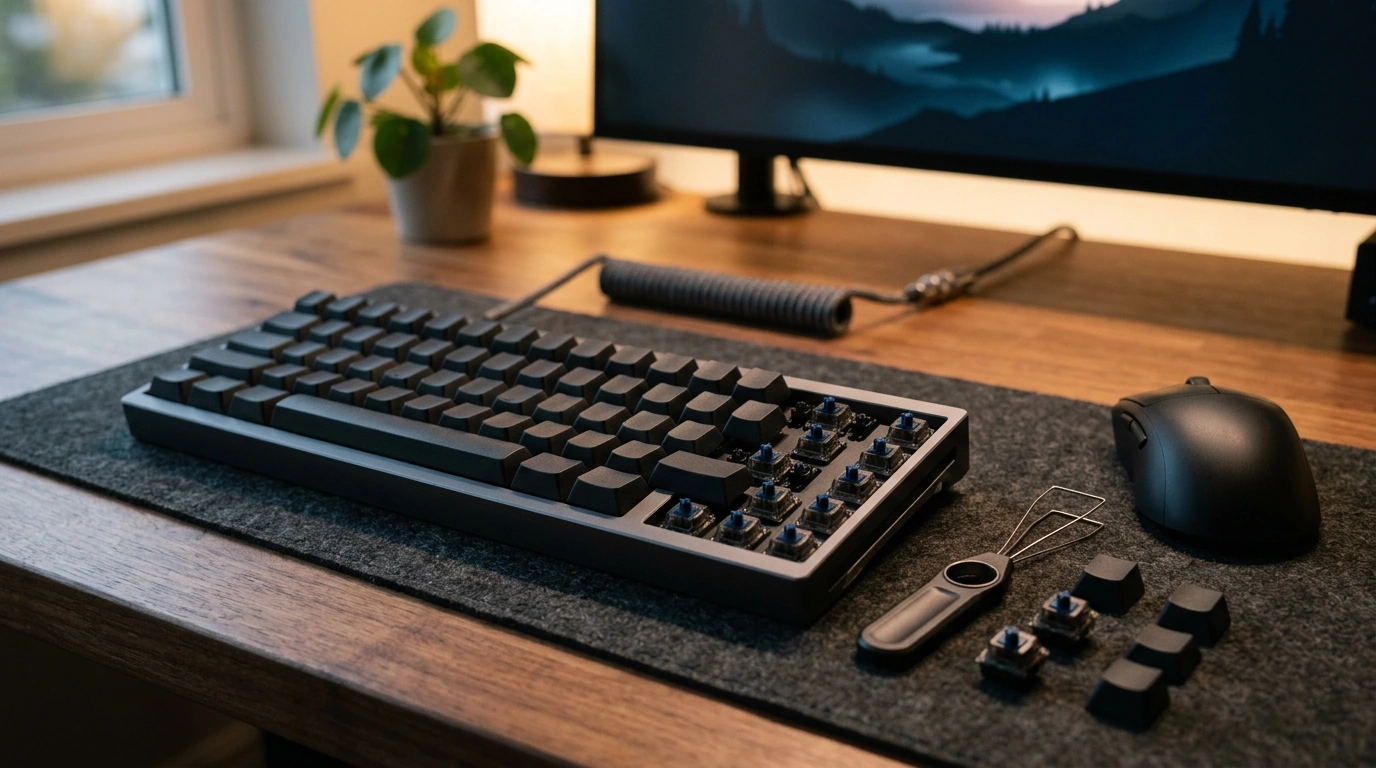
Wireless Mechanical Gaming Keyboard with Hot-Swappable Gasket Mount and Five-Layer Padding
A wireless mechanical gaming keyboard can feel quick and precise without sounding sharp, hollow, or tiring over long sessions. The difference often comes down to the build: gasket mounting adds a softer, more controlled keystroke, while multi-layer internal padding helps cut down on case resonance and high-frequency “ping.” Add hot-swappable sockets, and the board becomes easy to personalize—swap switches to tune speed, sound, and feedback without soldering.
What Makes This Keyboard Different
- Wireless setup for a cleaner desk and easier device switching.
- Gasket mounting to reduce vibration and soften bottom-out impact.
- Five-layer padding designed to dampen hollow case noise and sharp “ping.”
- Hot-swappable switch support for quick customization and repairs.
- Mechanical switches for consistent actuation and better feedback in games and typing.
If you’re shopping for a value-focused board with premium-style acoustics and feel, take a look at the Wireless Mechanical Gaming Keyboard – Hot Swappable Gasket with Five-Layer Padding, priced at $78.01.
Gasket Mount and Five-Layer Padding: Feel and Sound Benefits
Traditional tray-mount keyboards can feel rigid and “hard” at the bottom of the keystroke because the plate/PCB assembly is anchored firmly to the case. A gasket-mounted design changes that approach by suspending the assembly on compressible gaskets, allowing a small amount of flex and reducing impact at bottom-out. The result is typically a press that feels less harsh while still staying responsive for quick inputs.
The five-layer padding works alongside the gasket mount to control resonance inside the chassis. Multiple layers (often a combination of foams or films depending on the board’s design) help absorb vibrations that otherwise bounce around the case, which is what causes hollow echoes or metallic ringing. This is especially noticeable on larger keys like Space, Enter, and Shift, where stabilizers and a bigger keycap surface can amplify unwanted noise if the build is too rigid or under-dampened.
How Common Build Choices Affect Typing Feel
| Feature | What it changes | Typical result |
|---|---|---|
| Gasket mount | Flex and impact on bottom-out | Softer landing, reduced harshness |
| Case/plate foam | Resonance inside the case | Less hollow sound, fewer echoes |
| Switch pads/PE layers (varies by design) | High-frequency sharpness | Cleaner, less “clacky” peaks |
| Stabilizer tuning (lube/fit) | Large-key rattle | More solid Space/Enter feel |
Hot-Swappable Switches: Easy Customization Without Soldering
Hot-swap sockets make a mechanical keyboard far easier to live with long-term. Instead of committing to one switch type forever (or breaking out soldering tools), you can pull a switch and pop in a new one in minutes. That flexibility matters for both competitive play and daily typing, where preferences can change over time.
- Swap switches quickly to change the feel: linears for smooth presses, tactiles for a bump of feedback, clicky switches for a pronounced sound.
- Replace a single faulty switch instead of servicing the entire board.
- Try a mixed layout: for example, tactiles on modifiers for certainty, linears on alphas for speed.
- Confirm compatibility before buying extras—most hot-swap boards are built around common MX-style switches, but pin layouts can vary.
Wireless Performance for Gaming and Daily Use
Wireless is about more than removing a cable—it changes the feel of the whole setup. No cord drag, easier repositioning, and a cleaner desk are immediate wins. For gaming, though, the important part is consistency: stable connectivity, low-latency behavior, and reliable polling.
Good wireless performance also shows up in small quality-of-life moments: quick pairing, dependable reconnection after sleep, and the option to keep playing in wired mode while charging. If you bounce between devices, simple switching (when supported by the keyboard) can be a major time-saver.
For reference on wireless and wired standards, you can review the official documentation for the Bluetooth Core Specification and the USB-IF specifications.
Comfort, Key Feel, and Long-Session Control
A cushioned, vibration-controlled build is about comfort as much as sound. When bottom-out impact is reduced, fingers and hands often feel less beat up after long sessions—especially for players who tend to type hard or “slam” keys during intense moments. Keycap profile also affects how your wrists sit and how fast keys feel to reach; pairing your board with a supportive posture can make a bigger difference than most people expect.
Stabilizers are another comfort factor: if large keys wobble or rattle, your hands compensate with extra force and micro-adjustments. Clean stabilizers help inputs feel deliberate—useful for fast reloads, jump timing, and consistent rhythm in both games and typing.
If your setup is built for extended play, consider adding recovery tools that help you stay comfortable between sessions, like the Muscle Relaxation Toolkit for Total Tension Relief – 3-in-1 Bundle for Deep Muscle Relaxation. And for a more supportive seating setup, the Luxury High-Back Recliner Sofa Set can help turn long gaming nights into a more comfortable routine.
Setup Tips and Simple Tuning
Price and Value Snapshot
FAQ
Does hot-swapping work with any mechanical switch?
Hot-swapping typically supports common MX-style switches, but not every switch is compatible with every socket. Check the socket type and pin layout before buying extra switches, and avoid forcing incompatible pins into the board.
Is wireless good enough for gaming?
Yes—modern wireless can be very good for gaming when the connection is stable and latency is consistently low. For best results, keep potential interference low and use wired mode while charging if your keyboard supports it.
What does gasket mounting with layered padding change in real use?
It usually creates a softer bottom-out feel and reduces vibration that causes hollowness or metallic ping. The overall sound tends to be more controlled, and the typing experience can feel less fatiguing during long sessions.











Leave a comment